
Maps
OpenMap
by jigrobbulus, jiforever
A seamless world map with free zoom and the original Vanilla art.
- Downloads
- 403.5K
- Updated
- Oct 23, 2026
Armory
The addons most worth installing, reviewed one by one: every one has a published Forever version. See what each does, check its screenshots and download it from its official page.
The guild's own addon: syncs your character with the website in one step.
We wrote MilagroSync ourselves for this website. It reads your gear (all 19 slots, with the exact tooltip as it looks in game), your character stats, race, sex, guild name and your rank, and the flight points you've already learned. If you're an Officer or GM, it can also read the guild roster. It builds all that into a block of text and shows it in a window for you to copy; it doesn't connect to the internet on its own, so that text only reaches the website when you paste it into /sync.
About your data
It's not on CurseForge because it's ours, built specifically for this website; publishing it for other guilds wouldn't make sense. The addon never sends anything on its own: it only builds the text and shows it to you. That data only travels once, when you paste it into /sync yourself, under your logged-in account.
25
Verified addons
10
Made for Forever
1.2B
Total downloads
The basic pack we recommend to anyone starting out in Forever.
25 addons
Maps
by jigrobbulus, jiforever
A seamless world map with free zoom and the original Vanilla art.

Quests & leveling
by TheCrux_BB, yttriumtyclief
The classic quest helper: everything marked on the map and minimap.
Combat & loot
by Terciob
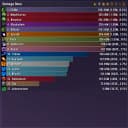
The most complete damage and healing meter.
Combat & loot
by ExehnTV
A modern-style dungeon journal, with loot and quests.

Economy & bags
by plusmouse
Unified bags by category, with search across all your characters.

Quality of life
by Leatrix
Around 80 quality-of-life tweaks, each one optional.

Maps
by Leatrix
Upgrades for the regular map: reveals zones and shows points of interest.
Maps
by D4KiR
Inside maps for dungeons and raids, plus clickable flights and entrances.

Quests & leveling
by RestedXP
Leveling guides made by top speedrunners.

Quests & leveling
by JugoBetrugoTV
All-in-one questing: tracker, routes and navigation.

Quests & leveling
by xanastar
Spot Forever's new quests at a glance.

Quests & leveling
by conoar
Never miss a thing: sparkles on quest items, herbs and ore.
Interface
by Solindius
Forever's complete UI in a single addon.
Interface
by fallenguard
Brings the 2004 Classic look back to the modern UI.

Interface
by Ellesmere
A modular UI suite with the most comfortable visual editor.
Interface
by Bodify
Blizzard's own unit frames, with more features.
Interface
by Bodify
Blizzard nameplates, far more configurable.

Interface
by Terciob
The most powerful nameplates, with scripts and animations.

Interface
by nevcairiel
The classic action bar replacement.
Interface
by kiatra_, Numy
Drag the windows the game keeps locked.

Combat & loot
by Sliccer
Loot tables and BiS lists for every class.

Combat & loot
by weber8210
Which gear suits you at every level, and where to get it.

Economy & bags
by plusmouse, borjamacare
The auction house, fast and with prices everywhere.

PvP
by Troma
World PvP campaigns: fronts, keeps and a leaderboard.
Two ways: the CurseForge app (easiest, and it keeps them updated) or by hand with the .zip file.
This guide is for the addons above, downloaded from CurseForge. MilagroSync (featured at the top of the page) is installed by hand, with its own steps.
Install the CurseForge app, pick World of Warcraft and the Forever version, search the addon and press Install. It handles dependencies and updates.
Press “Download” on the addon. It takes you to CurseForge with the exact Forever file; the download starts on its own in a few seconds.
Extract the .zip into World of Warcraft_classic_beta_InterfaceAddOns (the Forever client folder). Each addon must sit in its own folder, not inside another one.
On the character screen, AddOns button, check they're ticked. If you're already in game, type /reload. Your settings are saved in the WTF folder.
Every addon belongs to its authors. Downloads, versions and stats come from CurseForge (via CFWidget) and refresh every 12 hours; download buttons always take you to the addon's official page.